Loading...
Koʻp beriladigan savollar
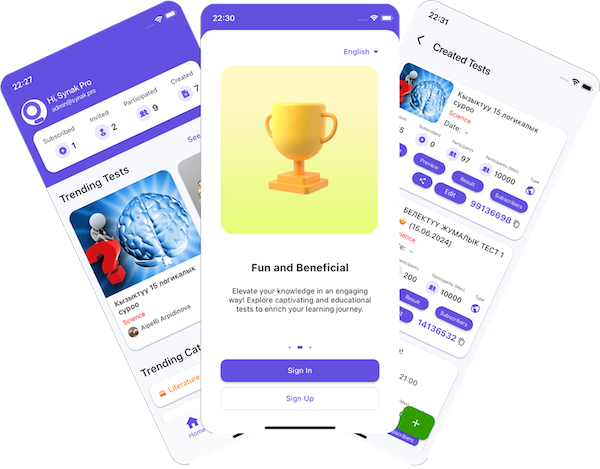
To create an Online Test/Quiz, you must log in to the Synak Pro website or application. After logging in, you can create an Online Test/Quiz by clicking the + button on the "Created" tab on the homepage. After adding questions to your Test/Quiz, choose its type: "private" — invite specific users or groups by username; "public" — anyone can take it, and you can also share the test/quiz code with anyone you want to join; "paid" — anyone can take it after paying the price you set when creating it.
With a per-question timer, each question has its own time limit, and you can enable camera recording for individual questions. With a total test/quiz duration, the whole test/quiz has one combined time limit and participants can move freely between questions; if camera recording is enabled, it uses one recording budget spread across the whole test/quiz instead of per question.
When you create a test/quiz, you can set its type to "paid" and choose a price. Anyone who wants to take it — whether they found it by code, search, or invitation — must pay that price first; only the creator is exempt.
This is separate from a "paid" test/quiz's price for participants — it's what you pay to publish the test/quiz itself, based on your chosen participant limit plus any camera recording you enable. A test/quiz with a per-question timer is priced per recorded question; one with a total duration is priced per second of the recording time you set.
Yes, you can edit an existing test/quiz to add or adjust camera recording before participants start taking it. Your creation cost updates automatically to reflect the change.
Some tests/quizzes require camera monitoring for academic integrity. If enabled, keep your camera and microphone on and your face visible for the whole test/quiz — violations may invalidate your results.
If you have the code for the online test/quiz, you can enter it by clicking the "Join" button on the homepage. If you don't have a code and the test/quiz is public, you can find it using the search option. If it's private, the creator needs to invite you first, and you can join it from the "Invited" option on the homepage. If it's a paid test/quiz, you'll need to pay the price set by the creator before you can join, whether you found it by code, search, or invitation.